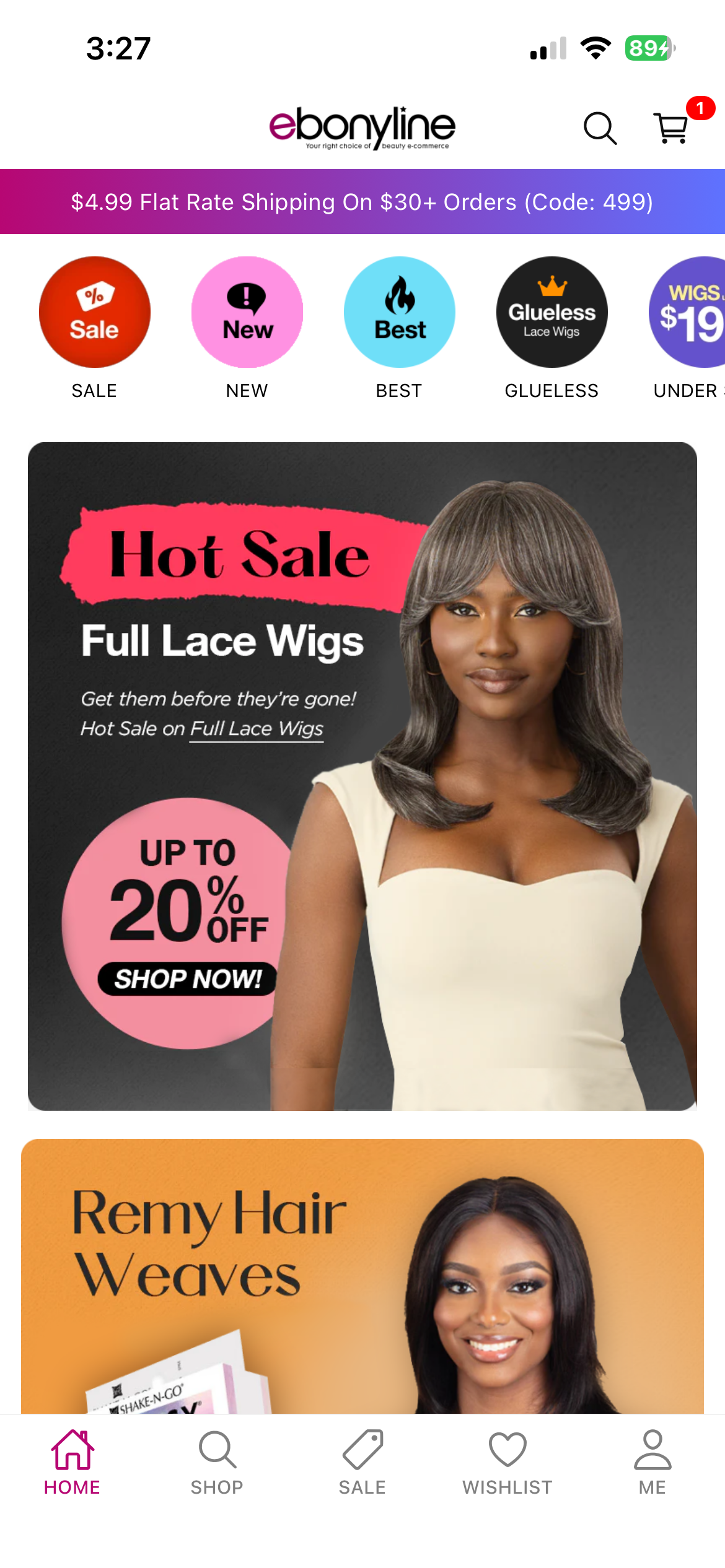

A production-ready mobile commerce application designed for Shopify merchants — built and deployed independently, with a focus on reliability, user flow, and real-world e-commerce behavior.
The app needed to support both iOS and Android. Native development with Swift and Kotlin would have meant maintaining two separate codebases — doubling the development effort for a solo project with a defined scope and budget. React Native allowed shipping to both platforms from a single codebase. The trade-off is reduced access to platform-specific UX patterns and some performance overhead, but for a commerce application where the core interactions are browsing, cart, and checkout — not graphics-intensive or hardware-dependent — that trade-off was acceptable. The decision came down to a simple question: does the performance gap justify twice the maintenance cost? For this project, it didn't.
Cloudflare was already part of the existing infrastructure, meaning the reliability, security model, and operational setup were well understood. This reduced onboarding overhead and kept infrastructure costs low at the project's scale — while leaving room to scale if needed. I apply the same approach across decisions: start with proven solutions, evaluate against real constraints like cost, audience, and scale, then commit to something that can evolve.
The existing web storefront already used OTP login. Introducing a different authentication method in the mobile app would have created inconsistency for returning customers. It also aligns with Shopify's recommended approach for customer authentication, which gave us confidence in its reliability and long-term support.
Mobile app: Rather than optimizing everything upfront, I focused on the most frequently used flows. In product lists and review sections, I applied memoization and persistent local caching to prevent unnecessary re-renders and keep scrolling smooth — with the goal of preventing degradation as the app scales, not chasing micro-optimizations.
Web storefront (previous project): With heavier traffic and larger image assets, performance was more critical. I implemented lazy loading, optimized image sizes, and measured impact using Lighthouse and PageSpeed Insights — achieving a noticeable reduction in initial load time and improved performance scores.
The initial OAuth implementation used a WebView-based flow: Shopify → callback → Cloudflare Worker
(token exchange) → HTML + postMessage → app. This created tight coupling between the UI layer and auth
logic.
Redesigned to an AuthSession-based flow: Shopify → HTTPS callback → Worker → 302 app scheme redirect →
app → token exchange → Worker. This moved OAuth responsibility to the server, eliminated the WebView
dependency, and made the auth flow more robust and maintainable.
A silent crash during post-login merge (wishlist + cart) proved difficult to trace — the log stream cut off mid-thunk with no clear error. Root cause was a combination of a missing import, an inadvertent const reassignment causing a silent crash, and createAsyncThunk's tendency to swallow unhandled rejections. Key insight: "no logs" is itself a diagnostic signal.
Designing a reliable session refresh flow required coordinating six interdependent layers: AuthValidator, fetchInterceptor, attemptSessionRefresh, SecureStore, Redux Persist, and hardResetApp(). Any ordering issue across these layers could result in silent 401 loops, auto-login failures, or a state that only recovered after a full app restart. Getting this right required treating the entire auth lifecycle as a state machine, not a series of independent operations.
Below are selected screens highlighting key user journeys across the customer app and merchant tools.
A secure, OTP-based authentication flow that maintains a persistent session across app restarts.
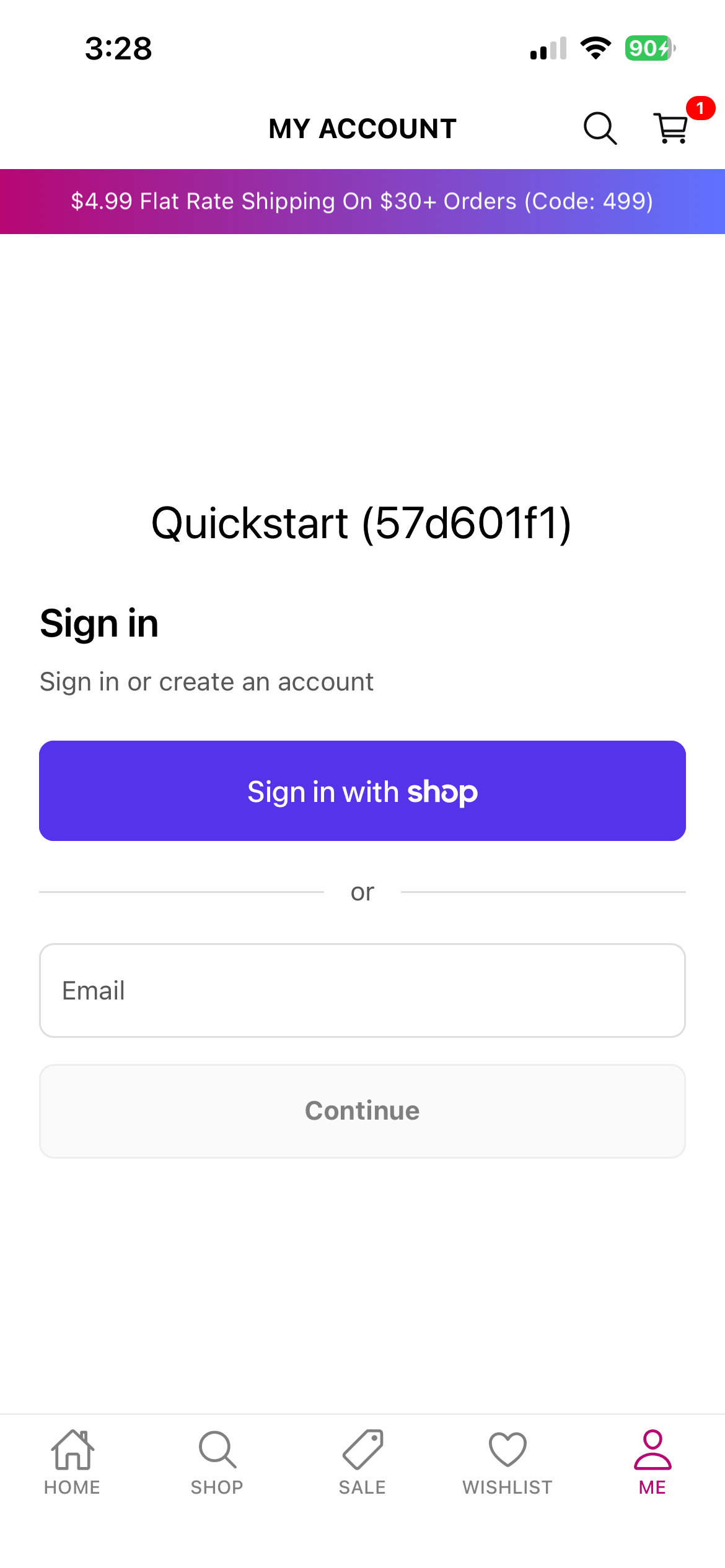 Login (OTP input screen)
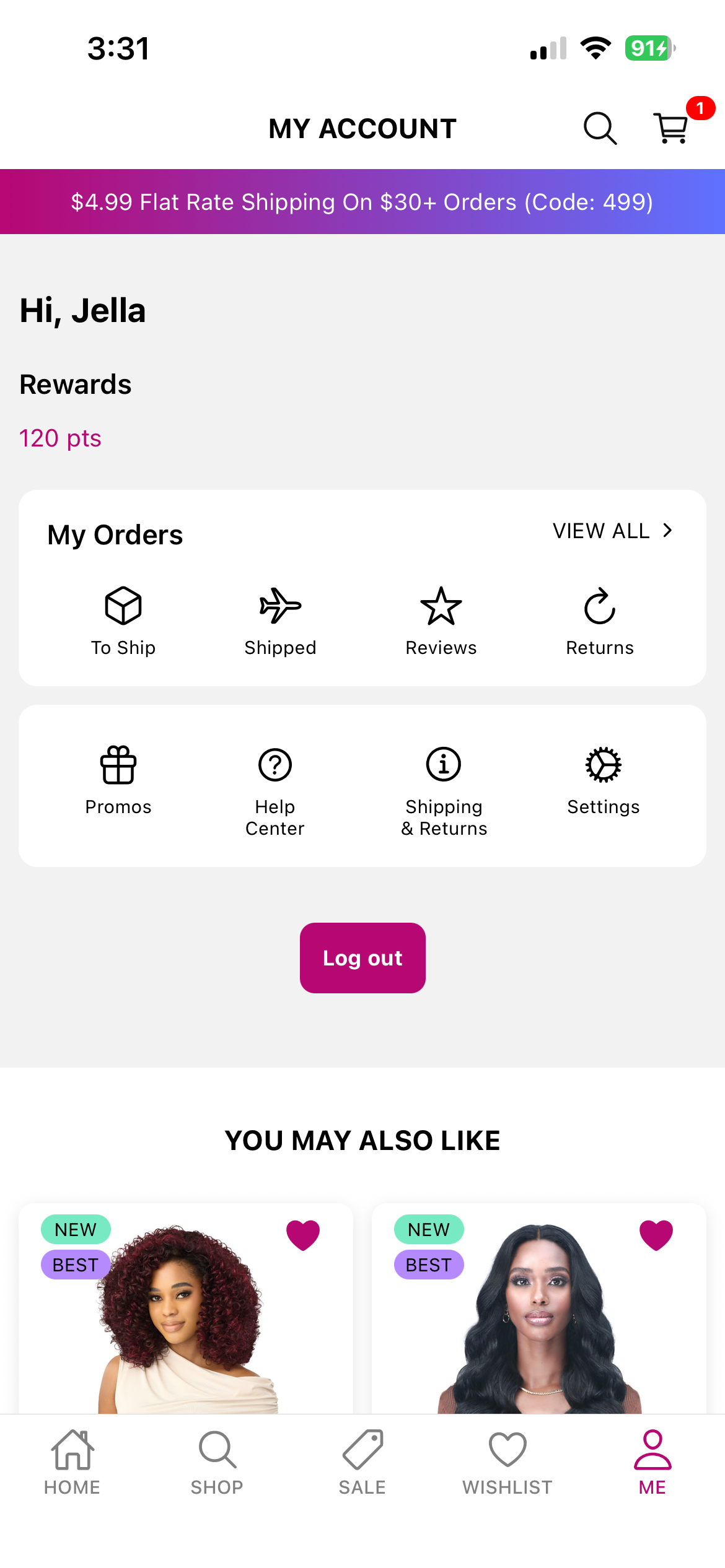 Account overview
The system handles session restoration, token renewal, logout, and state cleanup, providing a stable and seamless sign-in experience similar to modern production e-commerce applications.
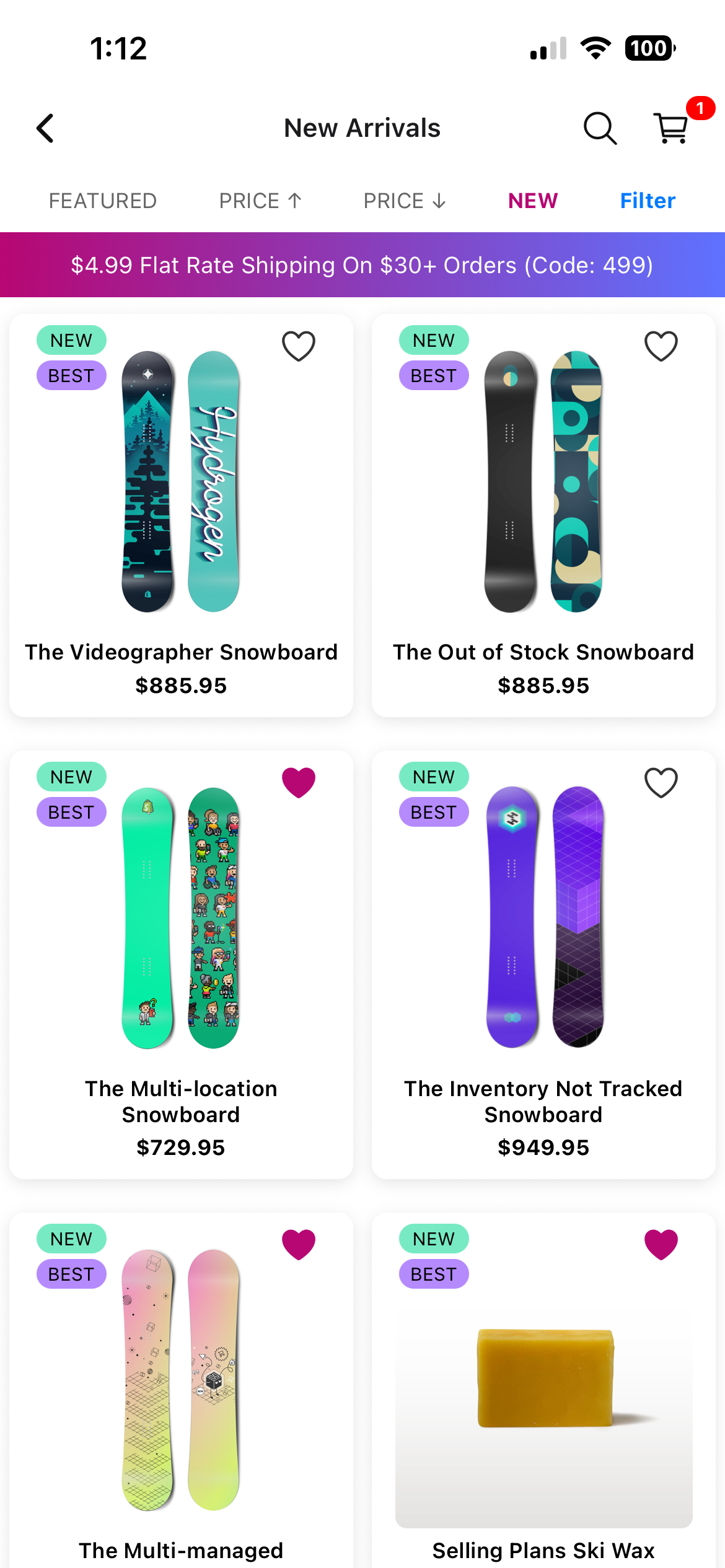
A fast and intuitive browsing experience featuring dynamic collections, advanced filtering options, sorting, and infinite scrolling.
Collection list
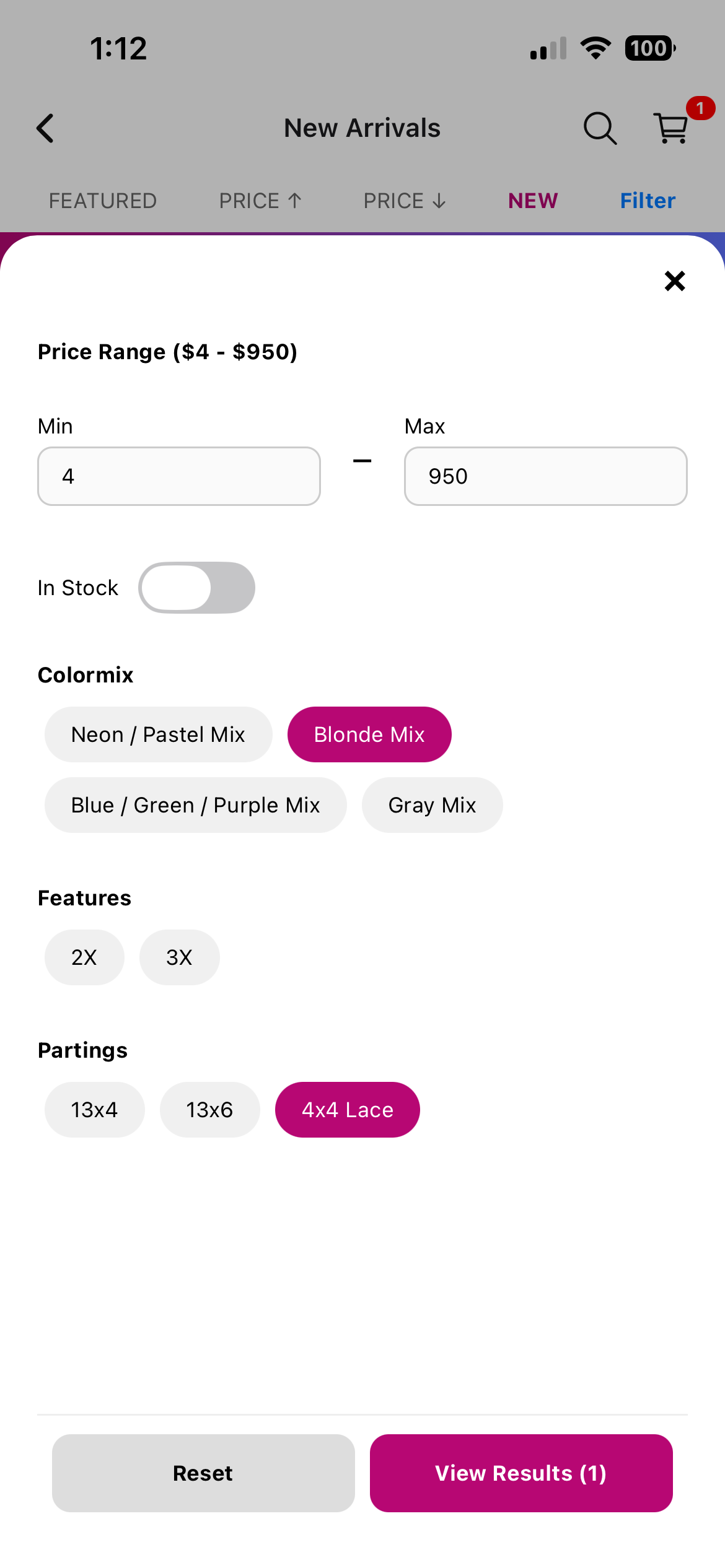 Filters section
The interface provides immediate visual feedback, streamlined navigation, and responsive layouts designed to help users discover products efficiently.
A complete product detail interface supporting multiple variants, availability indicators, shipping-time badges, ratings, rich descriptions, and cross-sell recommendations.
Product detail page
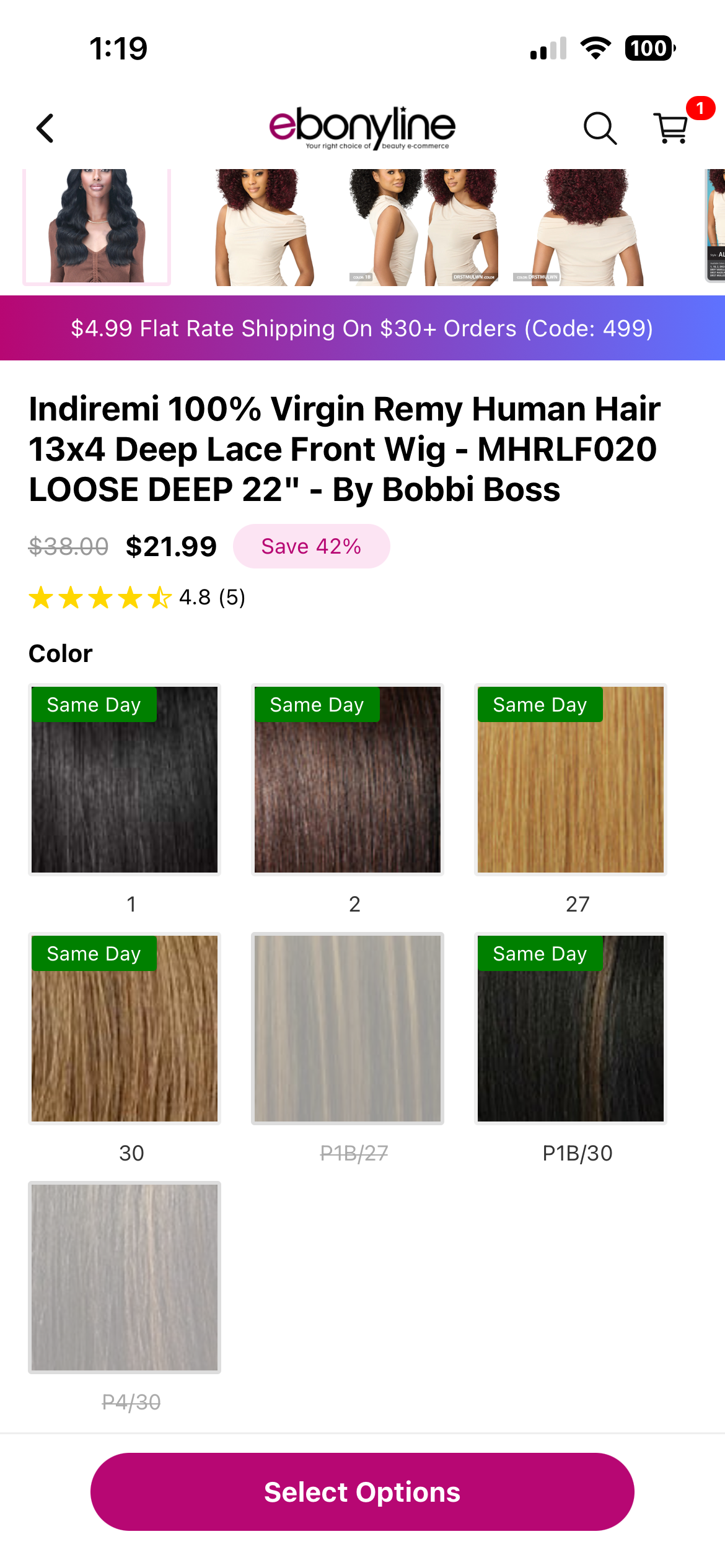 Variant selection
The screen adapts to complex product configurations and ensures a polished, production-grade shopping experience.
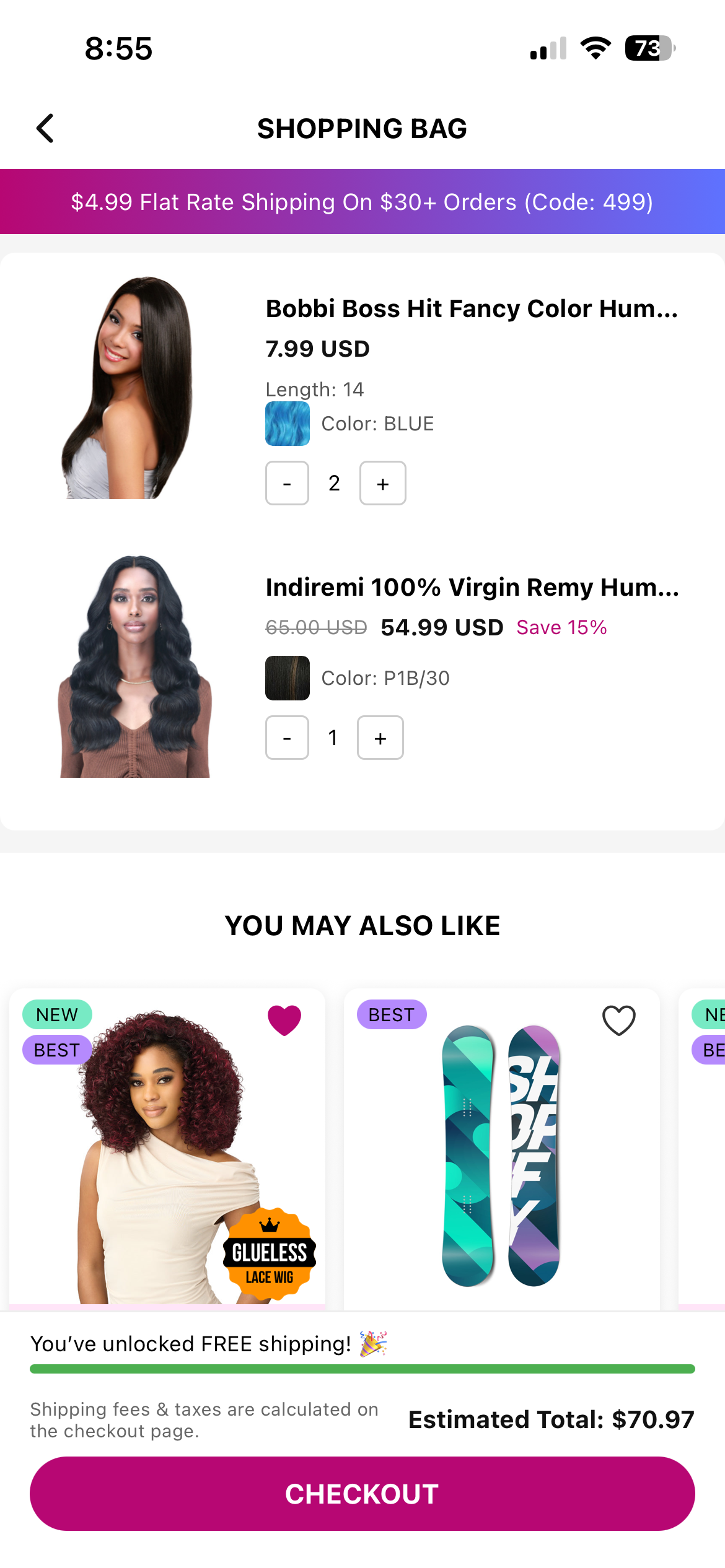
A robust cart interface that handles item grouping, variant updates, quantity adjustments, subtotal changes, and contextual recommendations.
Cart with items
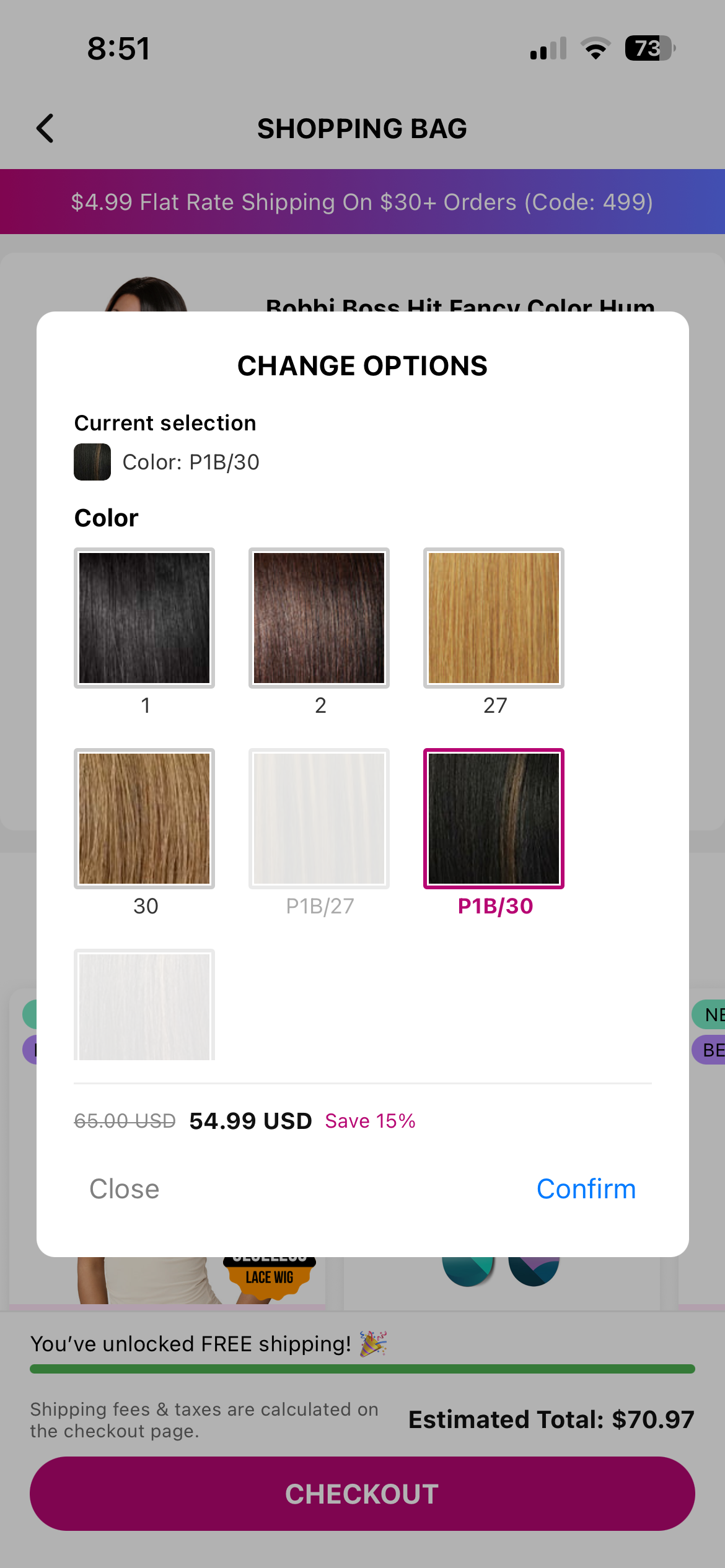 Variant edit modal
The design focuses on clarity and conversion, with smooth interactions and a responsive layout even when rendering large product lists.
A full user-generated content flow allowing customers to create, upload, view, and remove reviews including media.
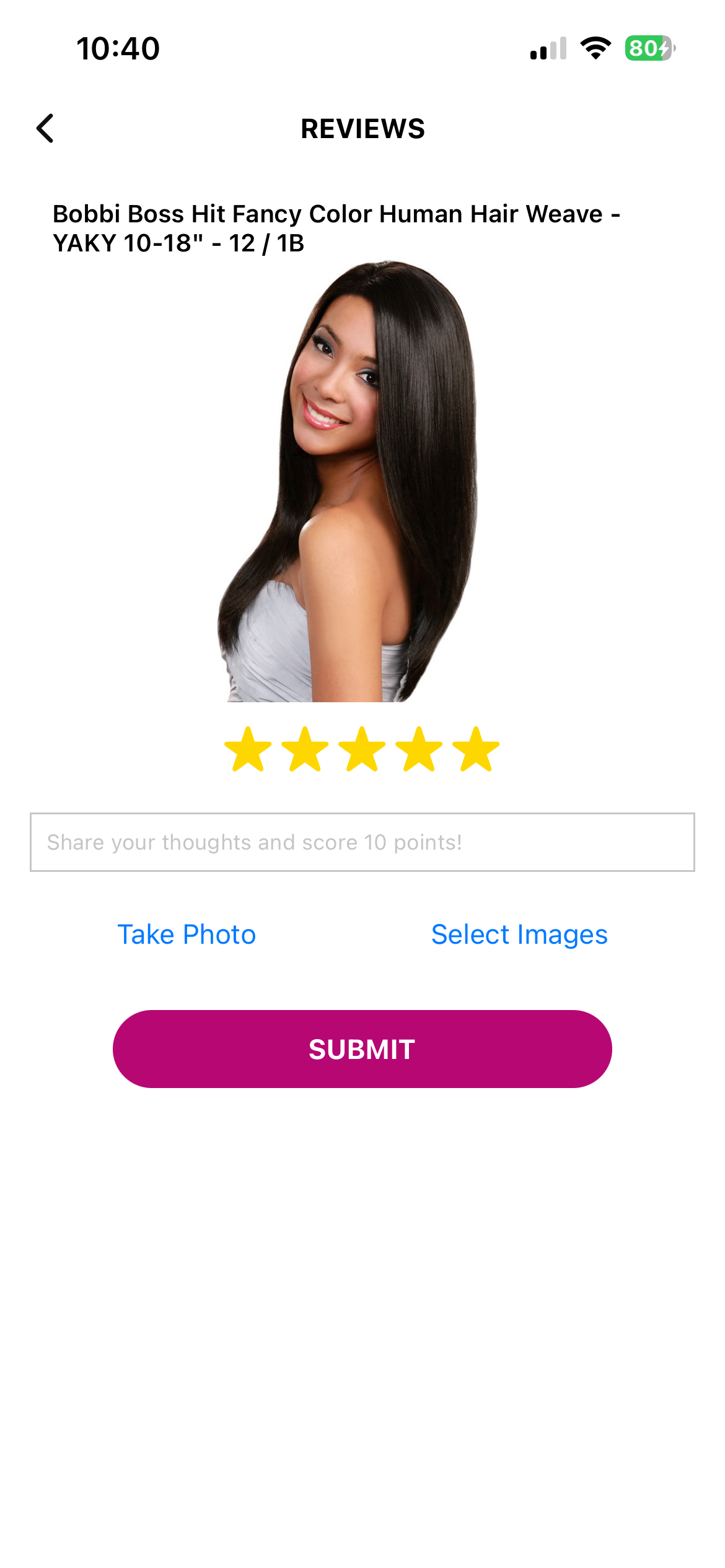 Review form
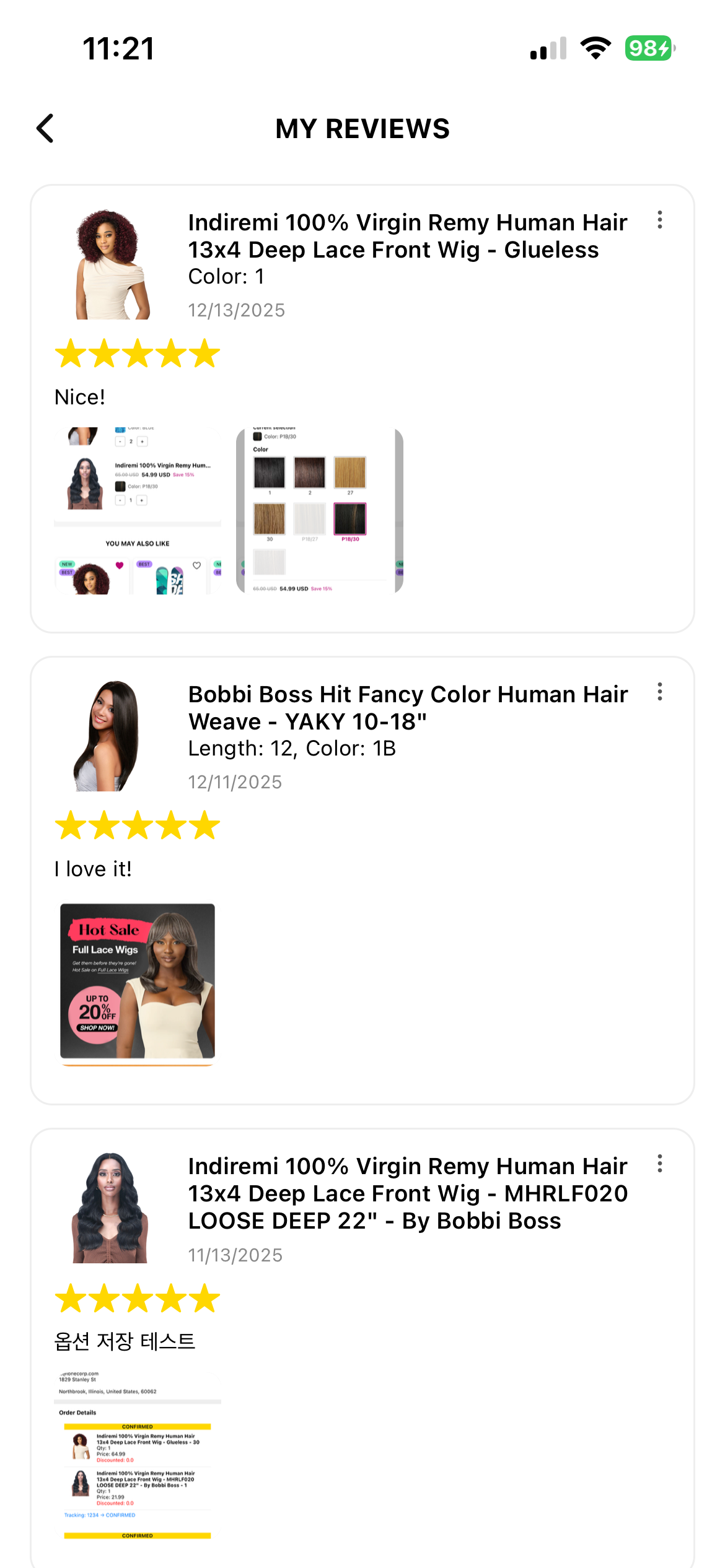 Review list
Reviews undergo lightweight automated checks before being stored, and the UI provides immediate feedback through optimistic updates for a seamless experience.
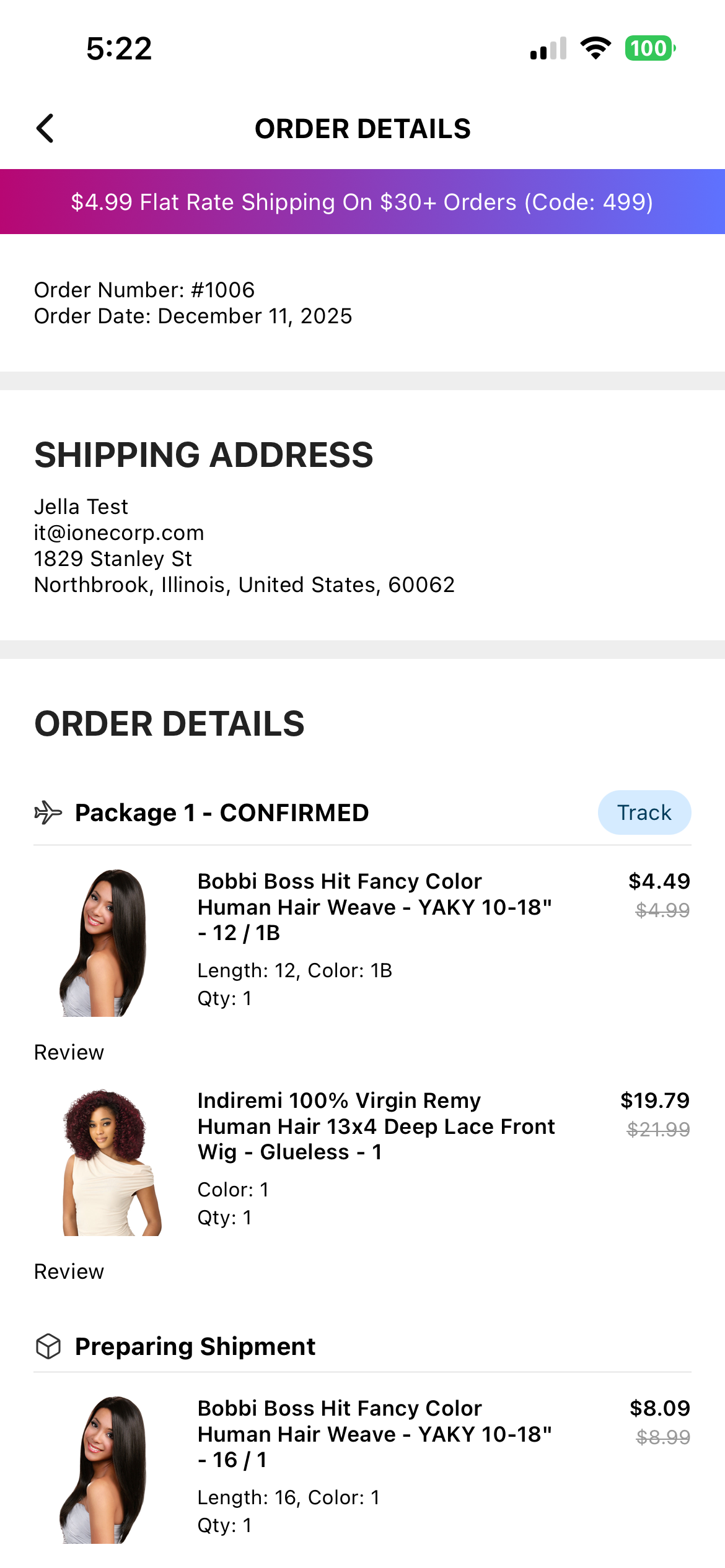
A multi-stage order view that reflects fulfillment progress, shipment tracking, and delivery statuses.
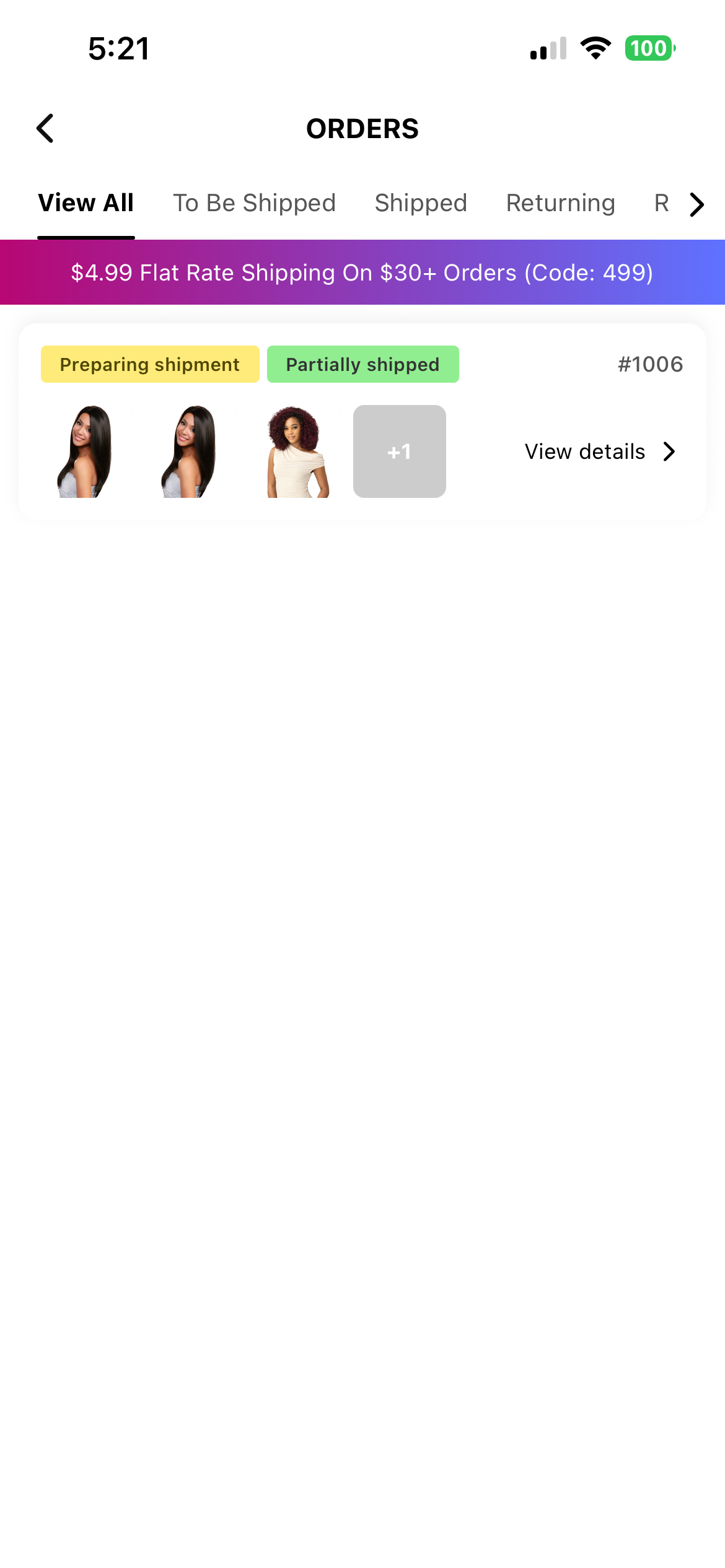 Order stage
Order detail
Order stage
Order detail
Users can track multiple shipments within the same order and access contextual actions such as writing a review or exploring recommended products.
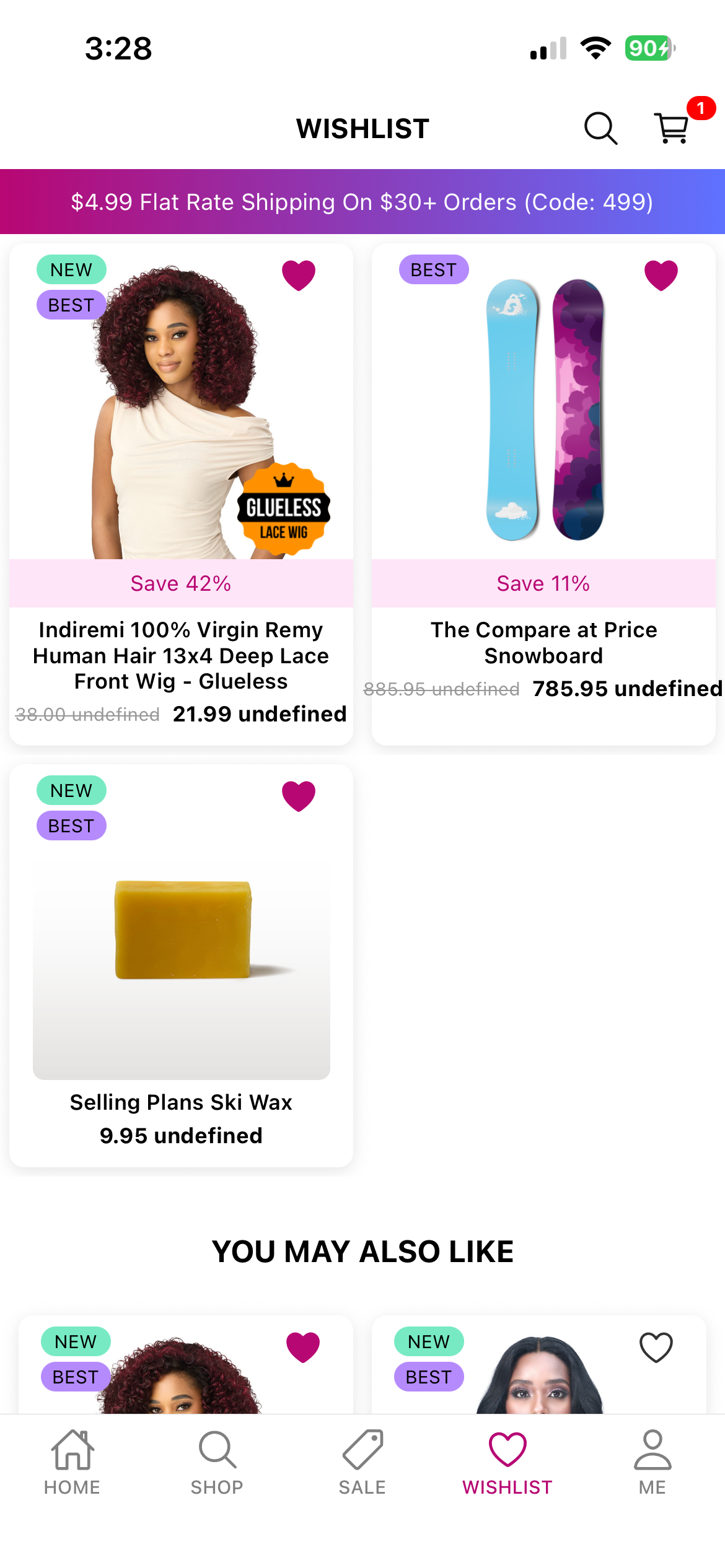
A personalized wishlist with persistent state, optimized product grids, and curated recommendations.
Wishlist grid
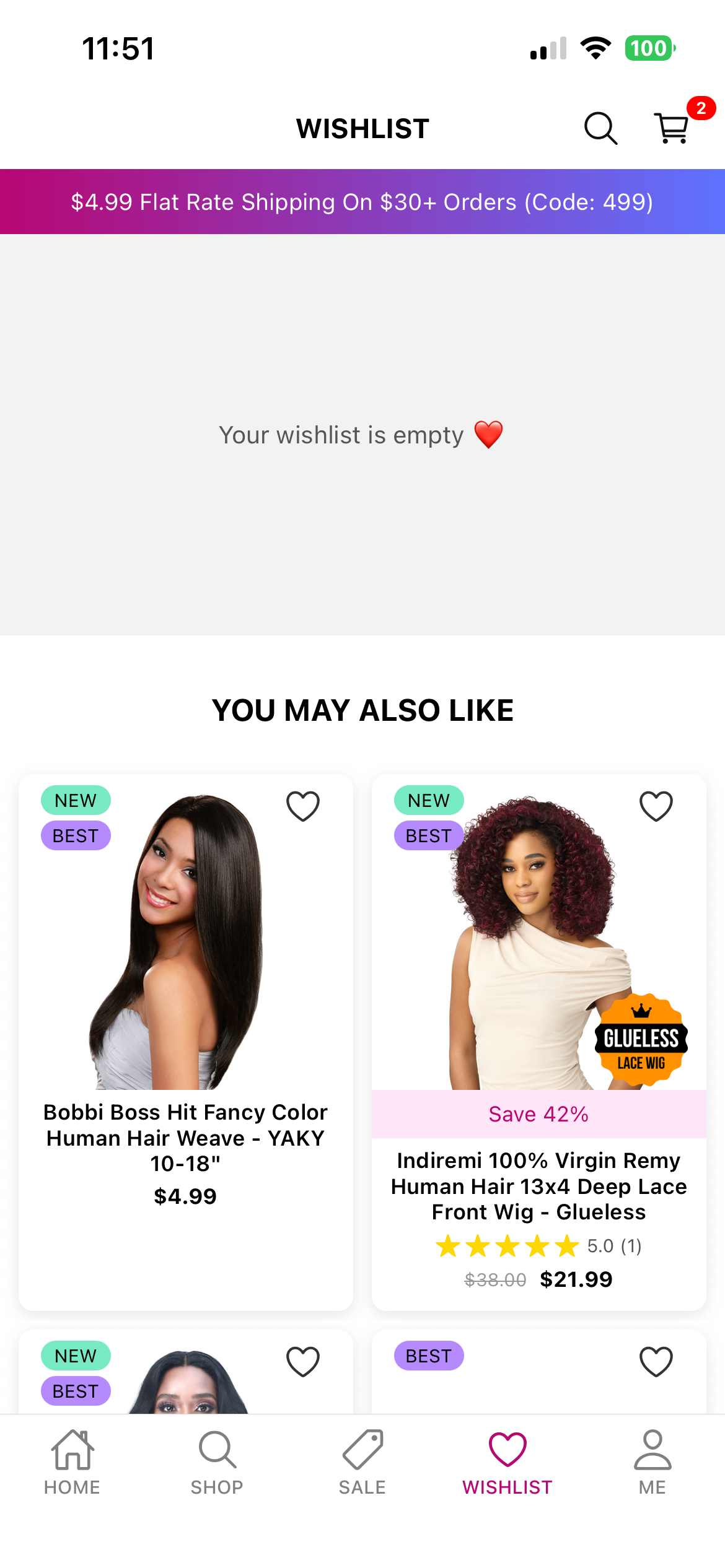 Empty state
The experience is designed to increase user retention and encourage repeat browsing through clean layouts and thoughtful empty-state UX.
A responsive search experience featuring recent search history, trending queries, structured filters, and an optimized product grid capable of rendering large result sets smoothly.
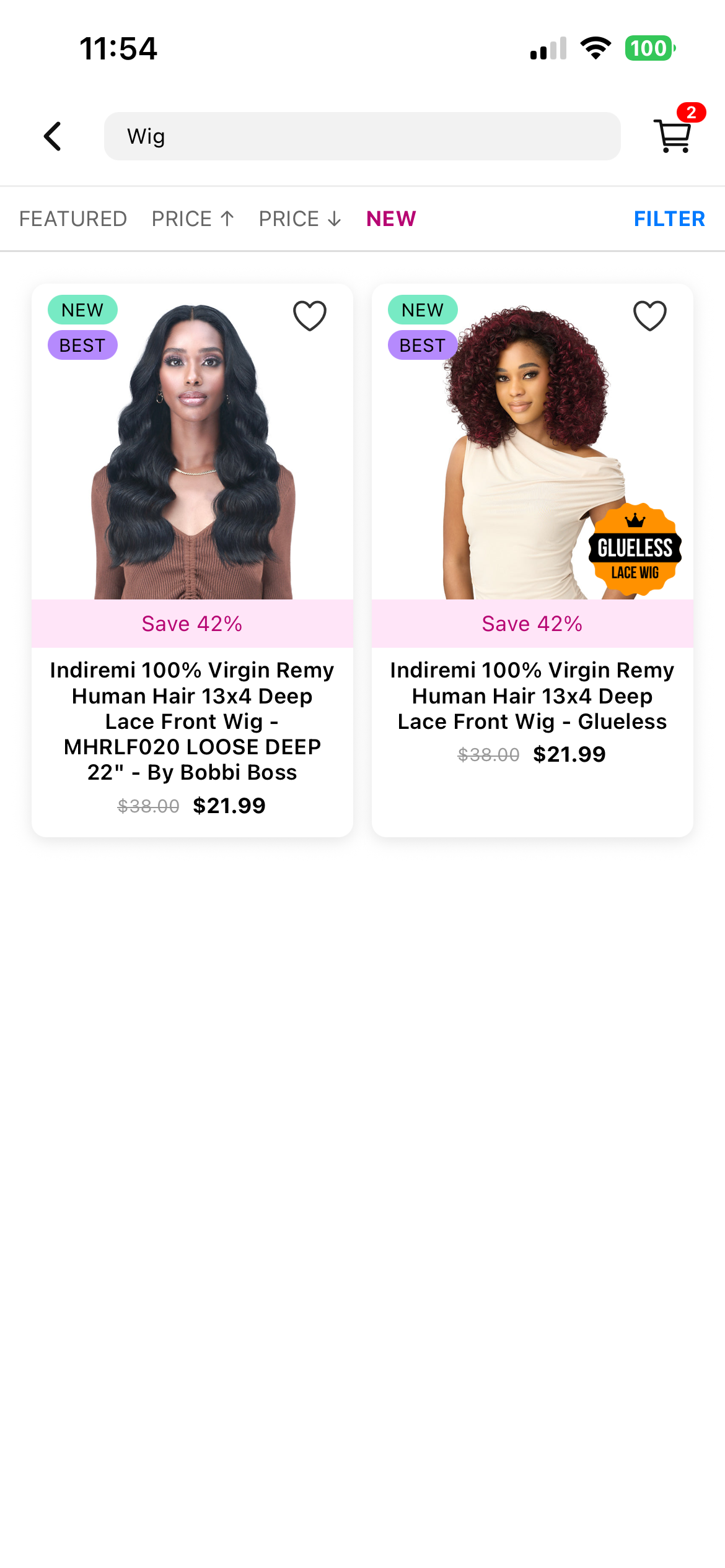 Search results grid
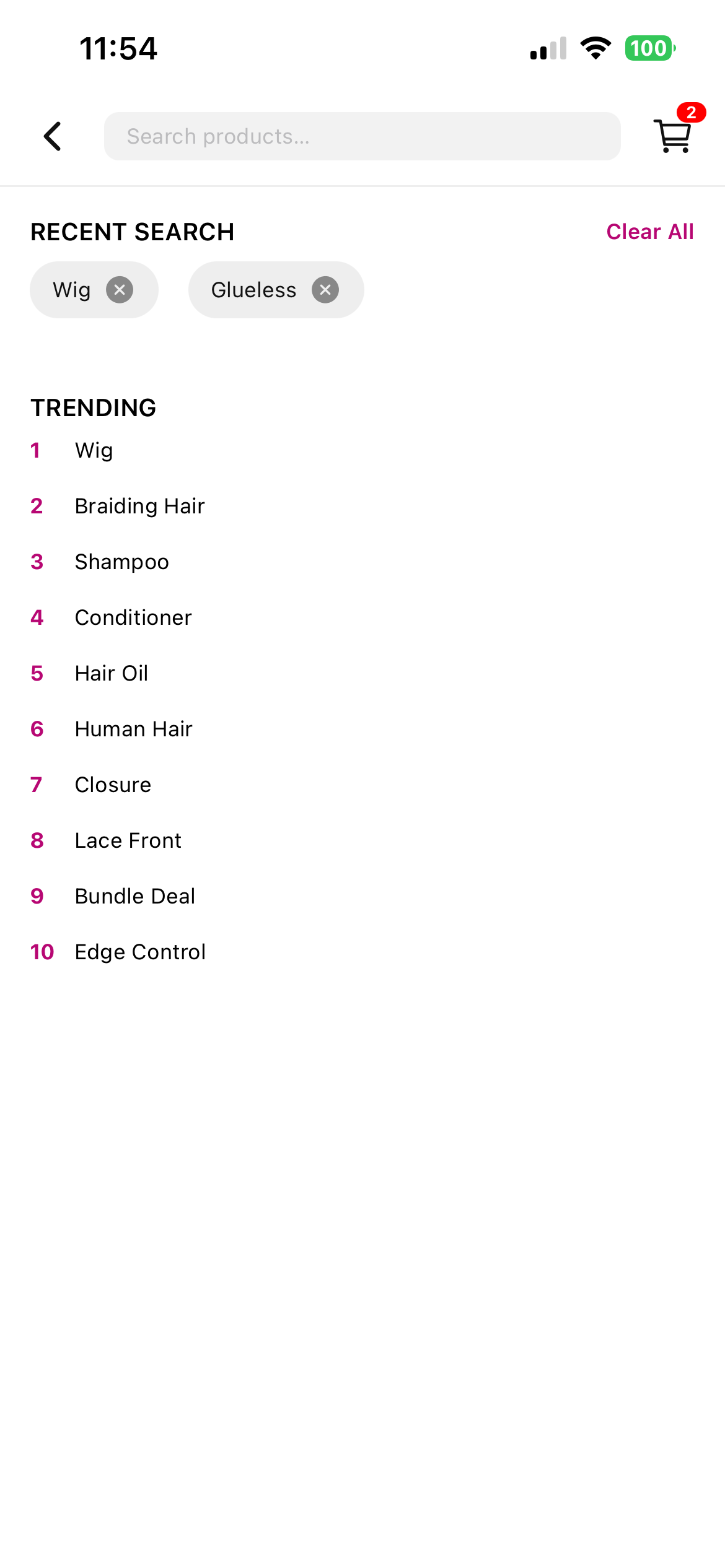 Recent/trending searches
The screen is designed to balance performance and usability, ensuring rapid discovery even with complex filter combinations.
A dedicated merchant interface enabling the moderation of customer reviews, including approval, rejection, editing, responding, and flag handling.
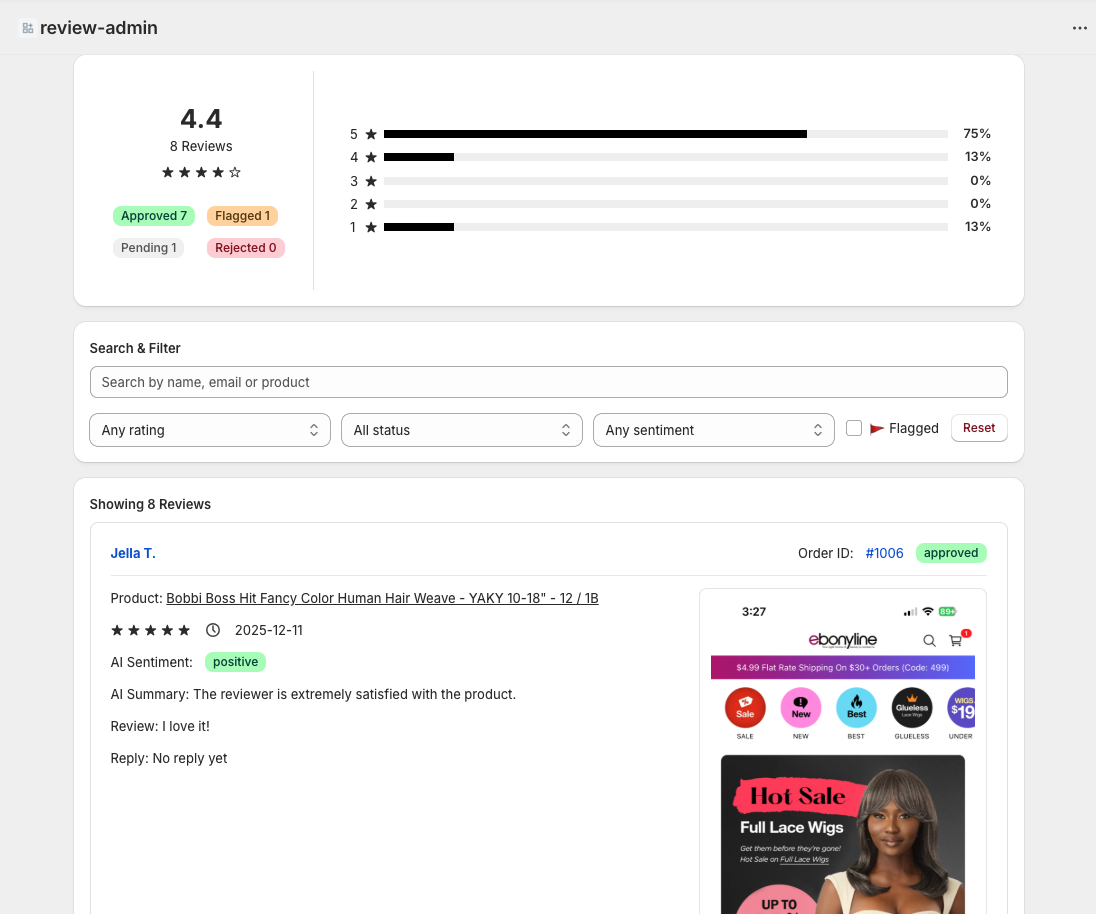
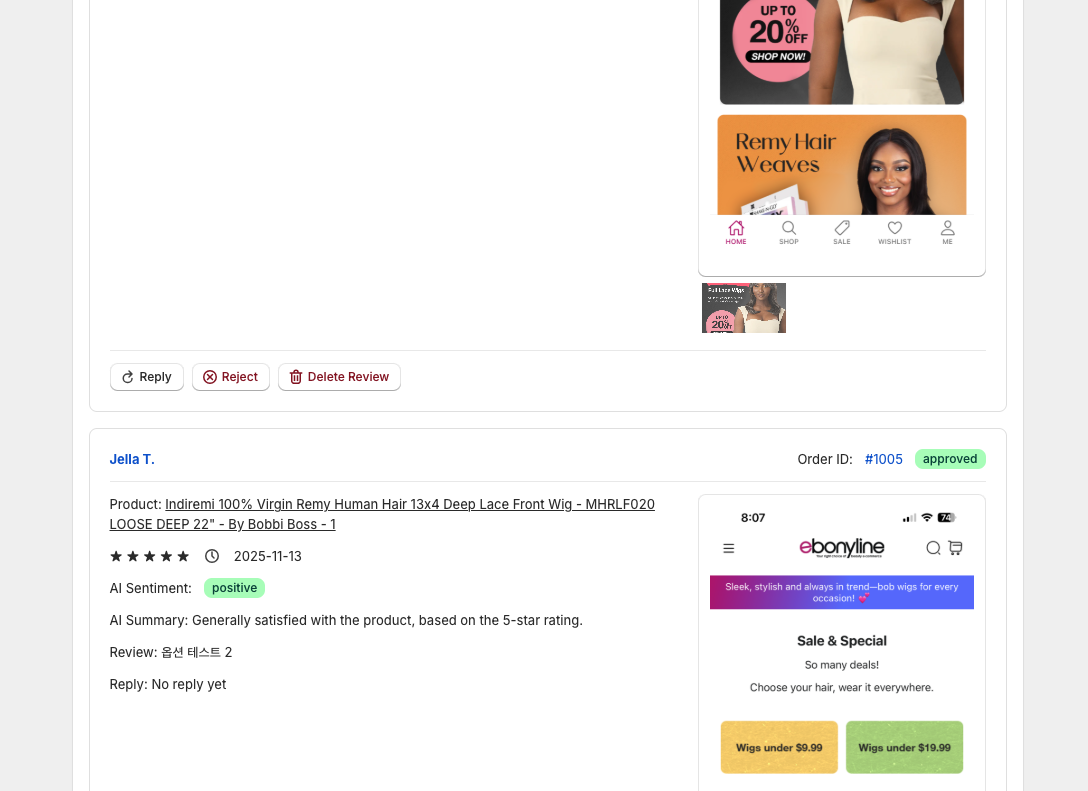
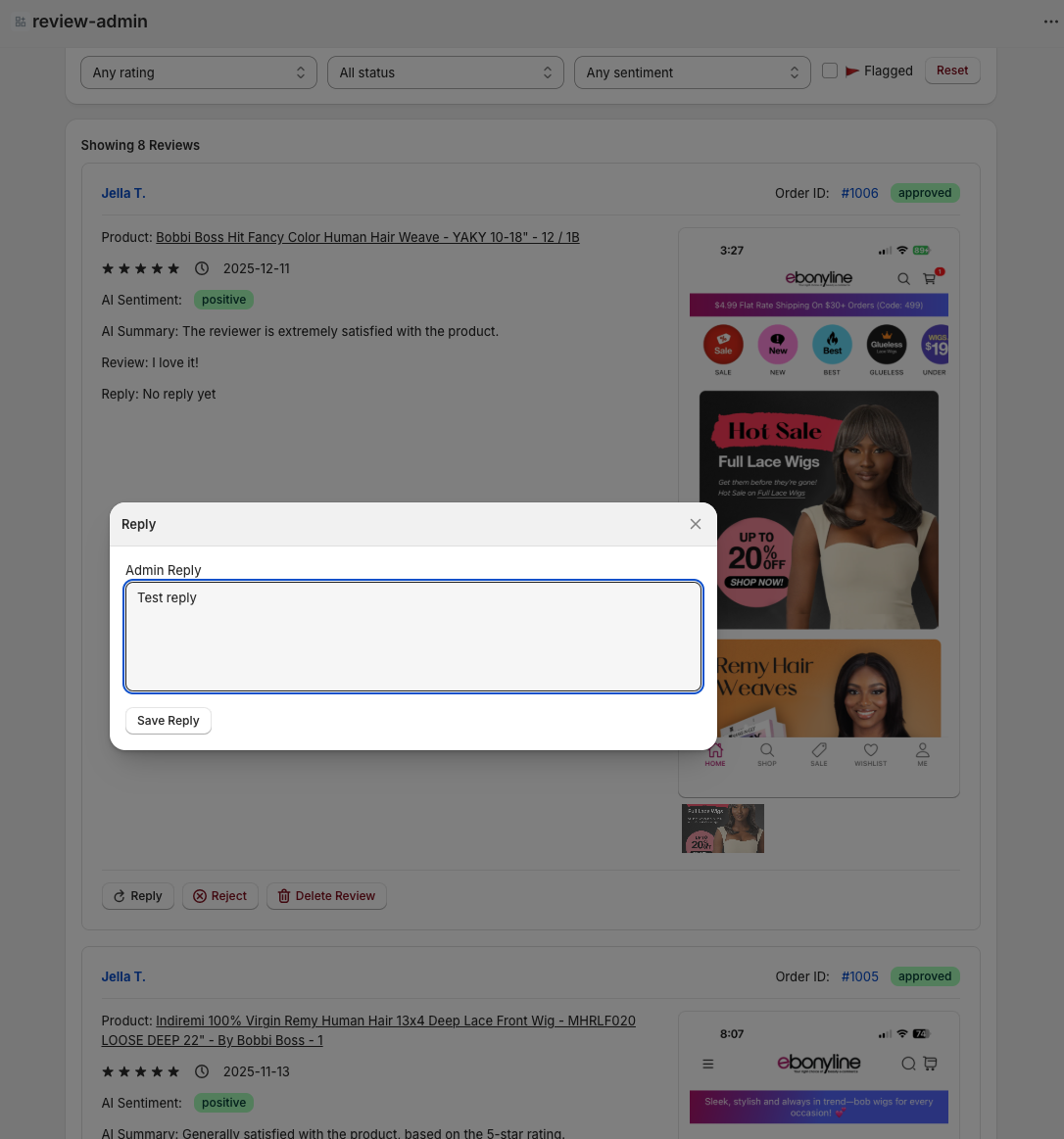 Review moderation screen
The system synchronizes review data with the store’s platform and supports scalable workflows that mirror real-world e-commerce moderation tools.
A merchant-facing tool for configuring promotional banners, including images, text, and links, which update directly inside the mobile application.
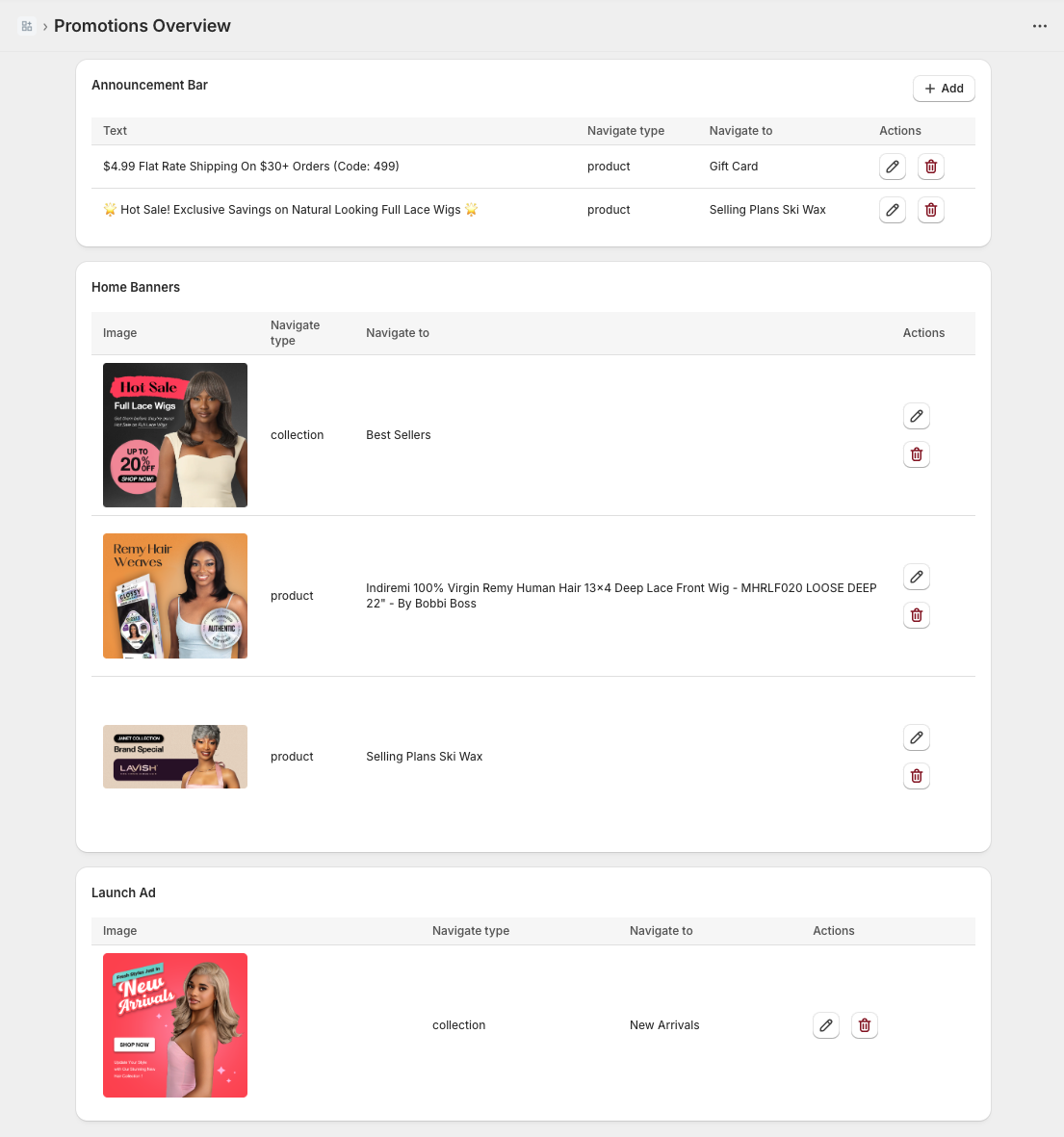
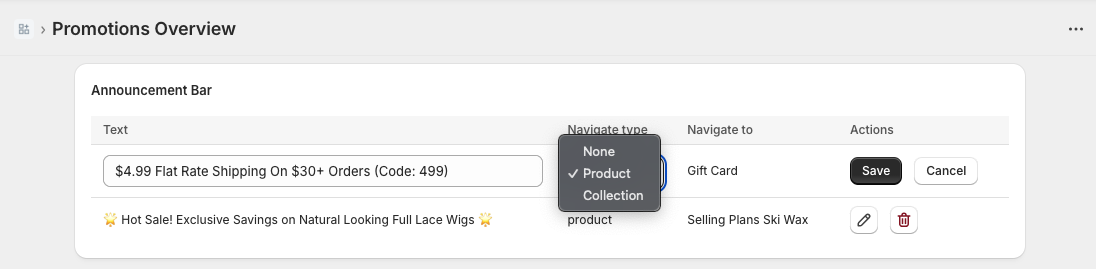 Promotion configuration (admin)
This enables store owners to manage marketing content without requiring app updates.
Merchant-managed push notifications with deep-link navigation support, including full CRUD, enable/disable controls, and live previews from the admin interface.
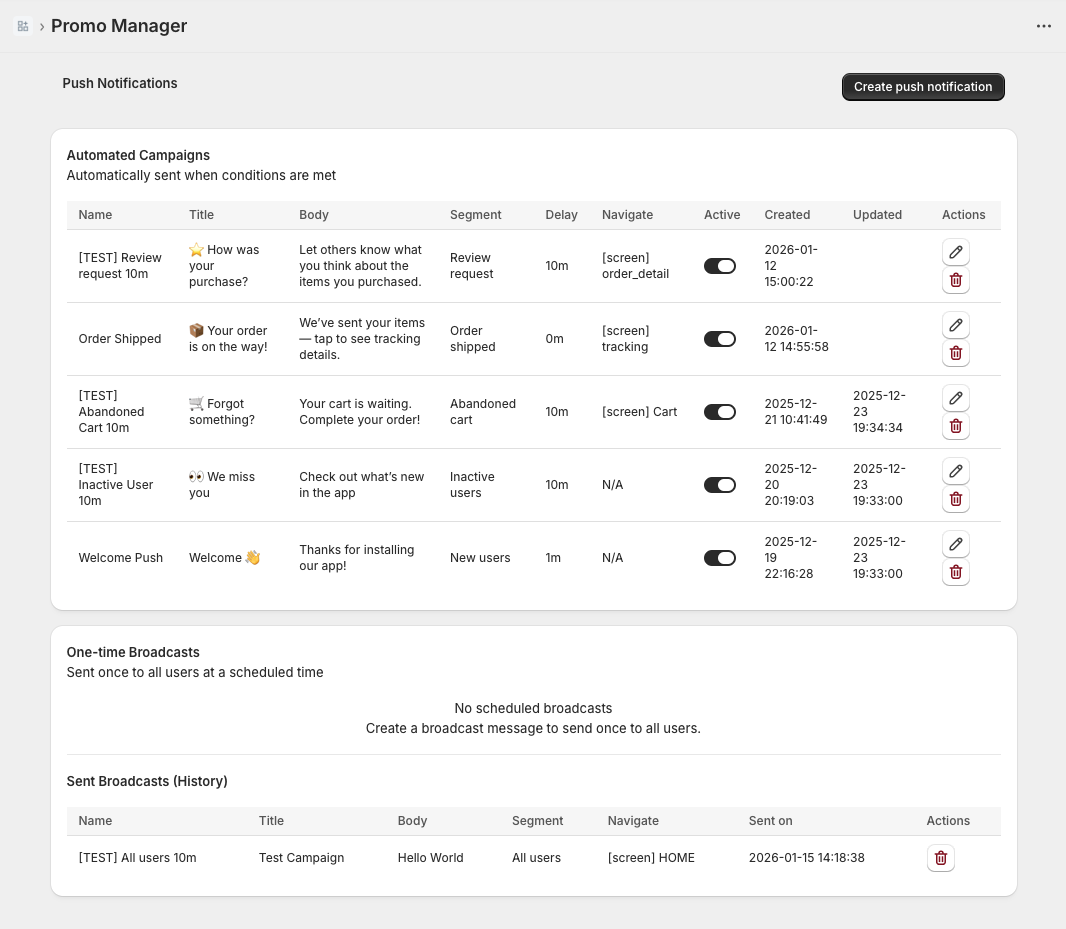
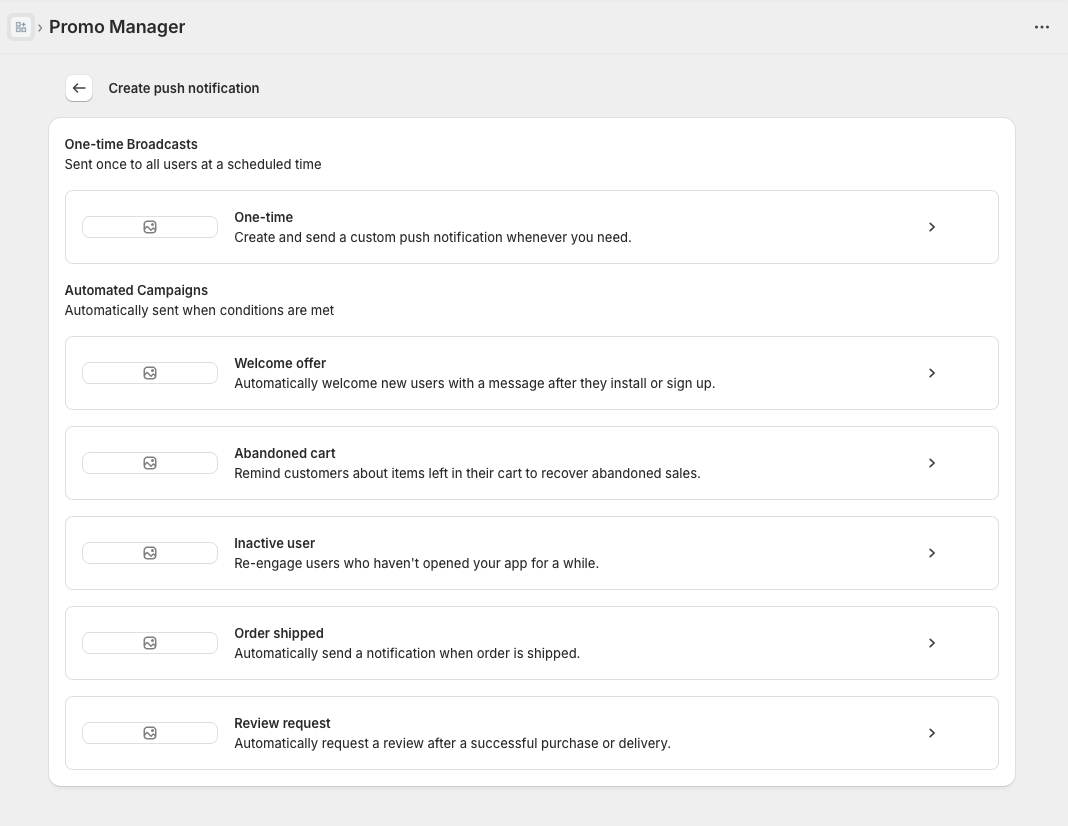
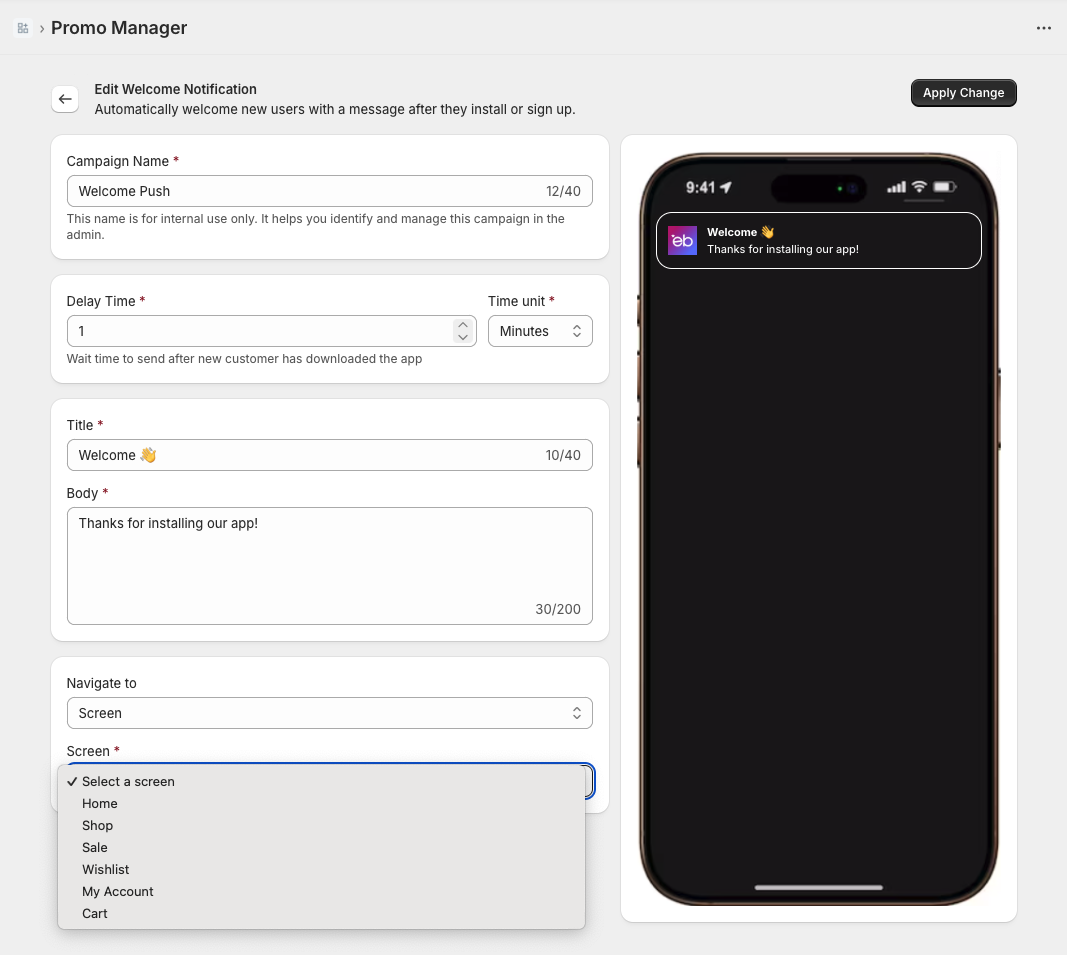 Push notification configuration (admin)
Fully integrated, admin-controlled push notification system with deep-link navigation.
Built by Jella An | jella.an@yahoo.com | LinkedIn | Resume (Eng / Fr)